
Closed beta soon
Vision app logoVISION BY VISION DRIVE

In development · Closed beta coming soon

Every drive,
a little more
confident.

A calmer home for your practice, your progress, and the people helping you learn.

Meet Vision for iPhone and iPad. Built around supervised driving, with thoughtful tools for learners, families, and Vision Drive students.

Native iOS & iPadOS Designed for practice together

Vision on iPad: practice controls and driving history beside details of a sample drive
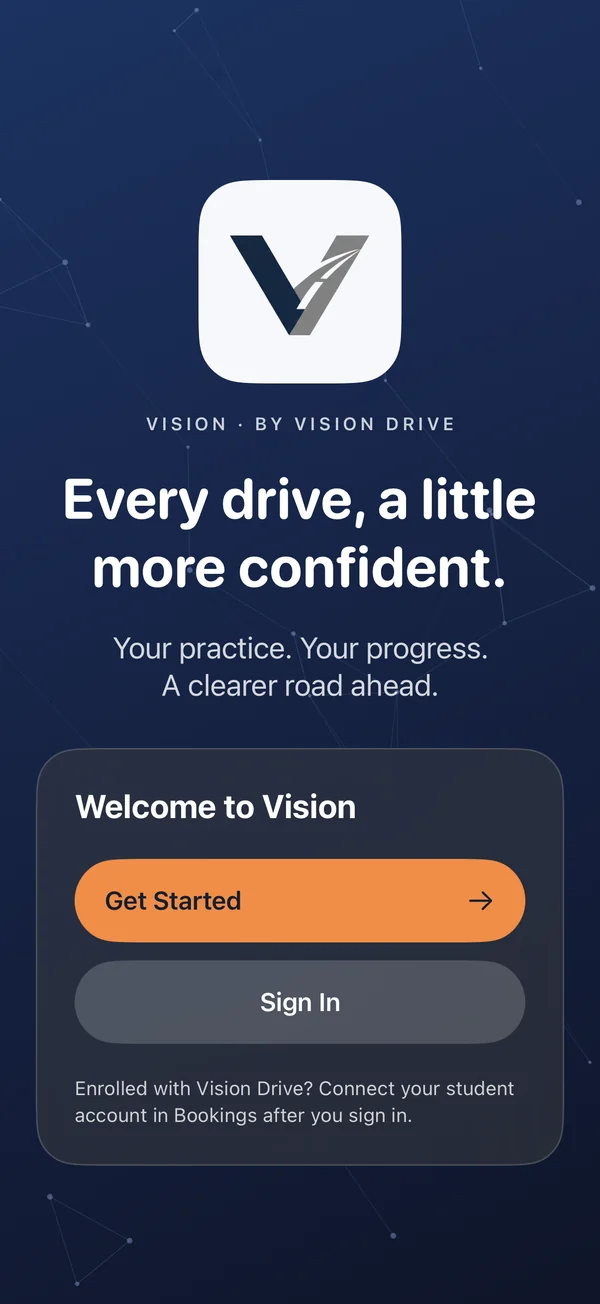
Vision on iPhone: the welcome screen with the company logo and navy particle background
Actual development screens · Sample data · Design may change

From the first practice
to the next milestone.

  • Record with purpose
  • Learn one skill at a time
  • See your progress together

A look inside

Your practice. A clearer picture.

Explore the app we’re building. These are native development screenshots with fictional test records, not a live account.

Drive 01 / 04

Make room for the road.

Start with a readiness check. Record supervised practice, then revisit your drive together when you’re parked.

  • A dependable practice log

    Guided recording, saved-session recovery, manual entries and a visible sync status.

  • A useful conversation afterward

    Review available braking, acceleration and cornering signals, with clear labels when they were not measured.

  • Room to review on iPad

    Keep driving history alongside the selected drive’s details.

Drive signals are observations to discuss, not a safety rating. Set up before moving and review while parked.
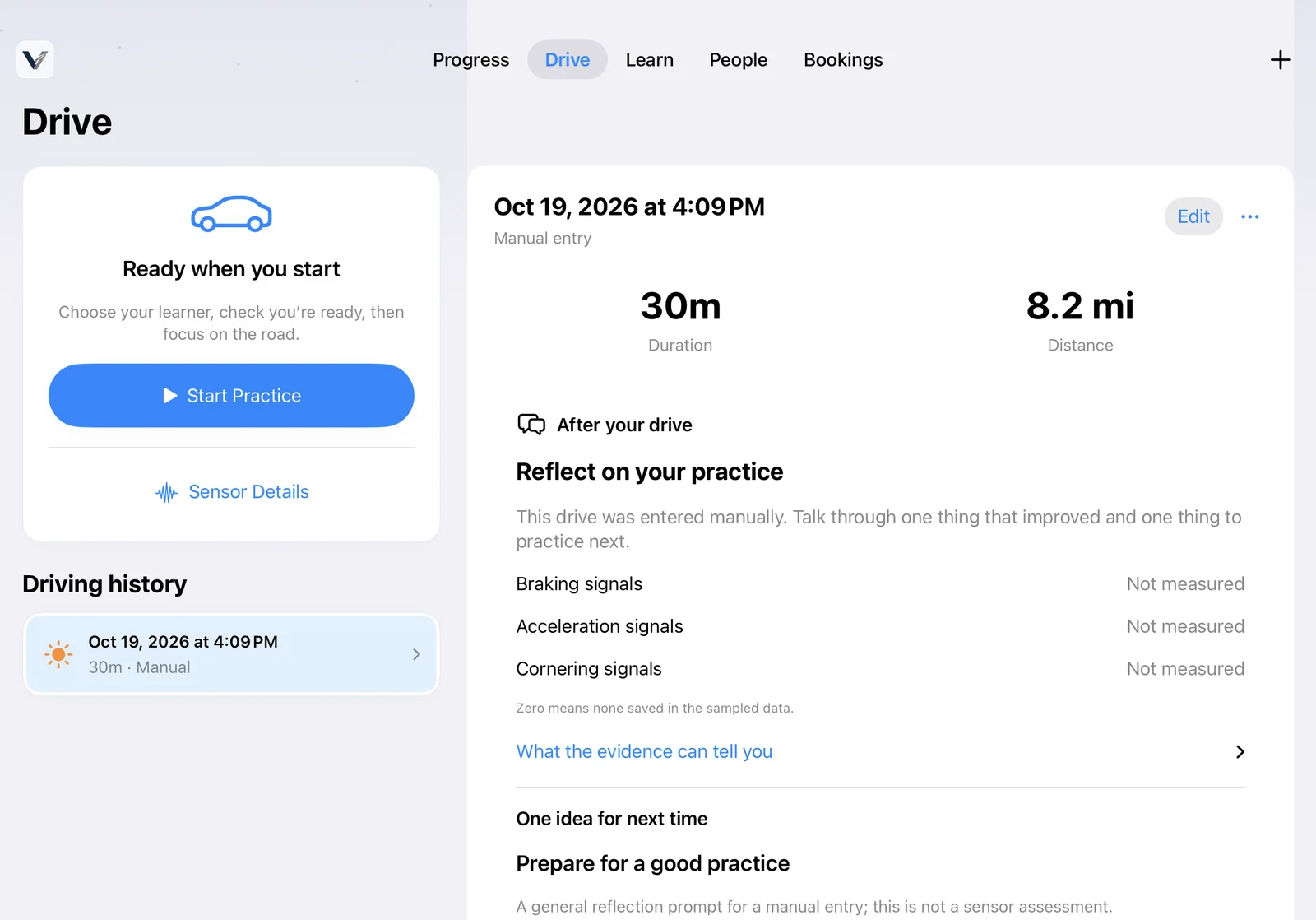
Practice controls and driving history in Vision
A sample manual drive in the practice log. View iPhone screen (new tab)

Progress 02 / 04

Small steps. Visible progress.

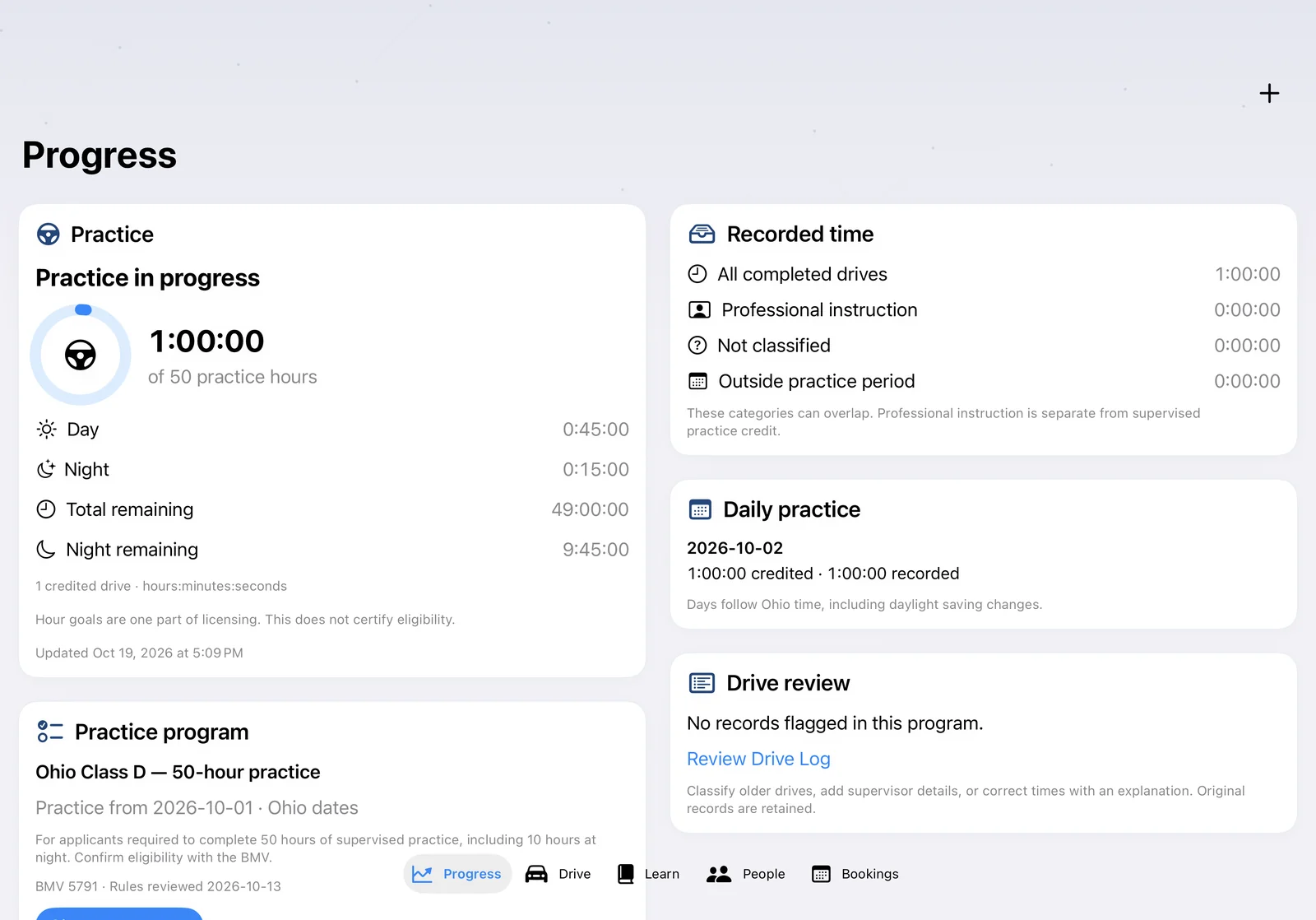
See recorded practice against your selected program, with day and night totals and the time still to go.

  • Understand your hours

    Supervised practice and professional instruction remain separate.

  • Keep a useful record

    Review drive classifications, correct details with an explanation and export a supporting worksheet.

  • Know what needs attention

    See records that need review before preparing an export.

Program progress and worksheets do not certify licensing eligibility or replace official forms.

Program progress and recorded day and night practice in Vision
Sample program progress and day/night totals. View iPhone screen (new tab)

Learn 03 / 04

One skill for your next drive.

Short, practical guides help you and your supervisor prepare together, then reflect on what you practiced.

  • Build at your own pace

    Browse beginner, intermediate and advanced topics.

  • Keep learning close

    Read downloaded written guides offline after the initial connection.

  • Turn reading into practice

    Use checklists, record practice and revisit your learning progress.

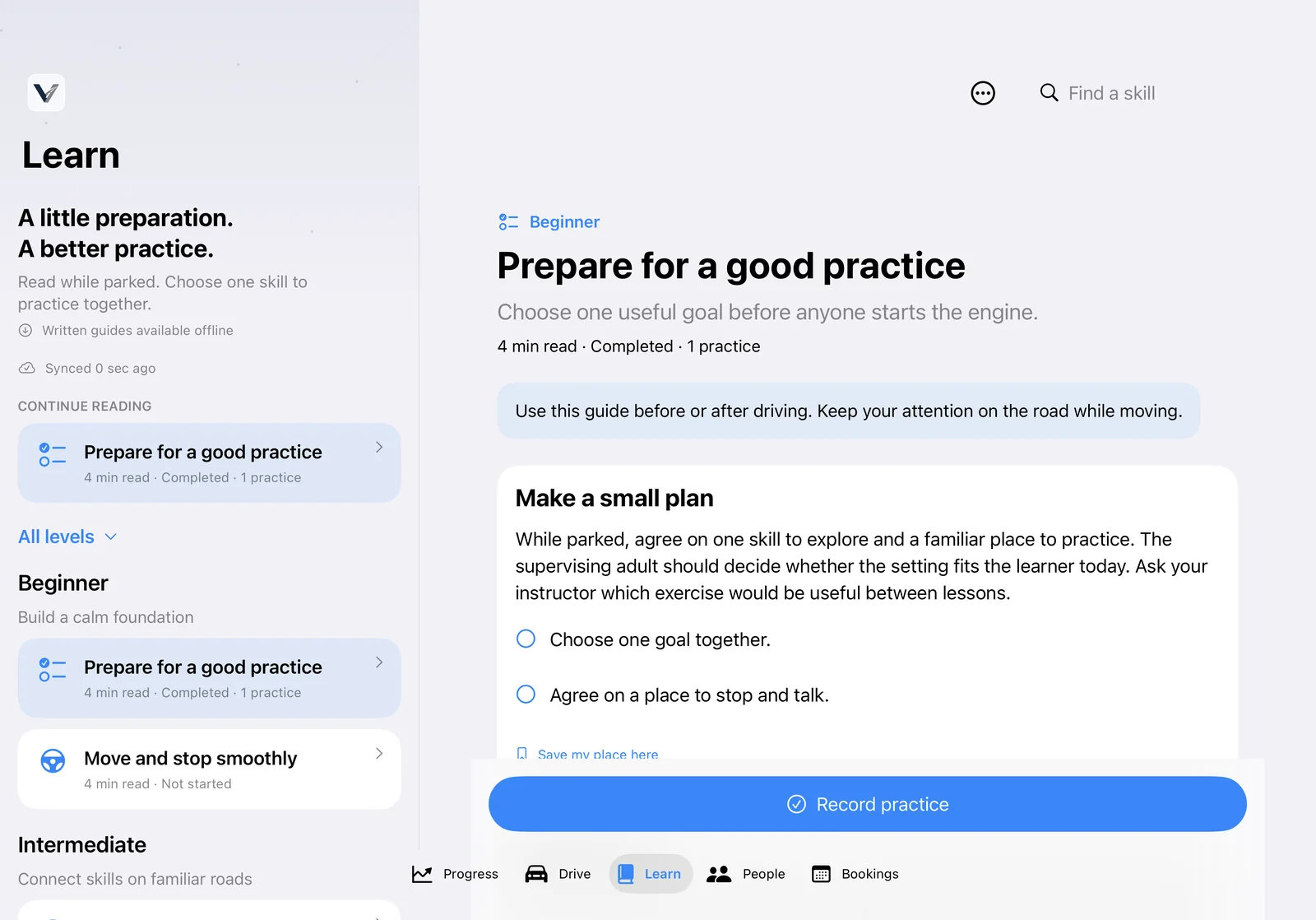
Read while parked. Guides support supervised practice and do not replace required driver education.

Learning library with beginner, intermediate and advanced practice guides
The development guide library, organized by skill level. View iPhone screen (new tab)

Bookings 04 / 04

Your school, connected.

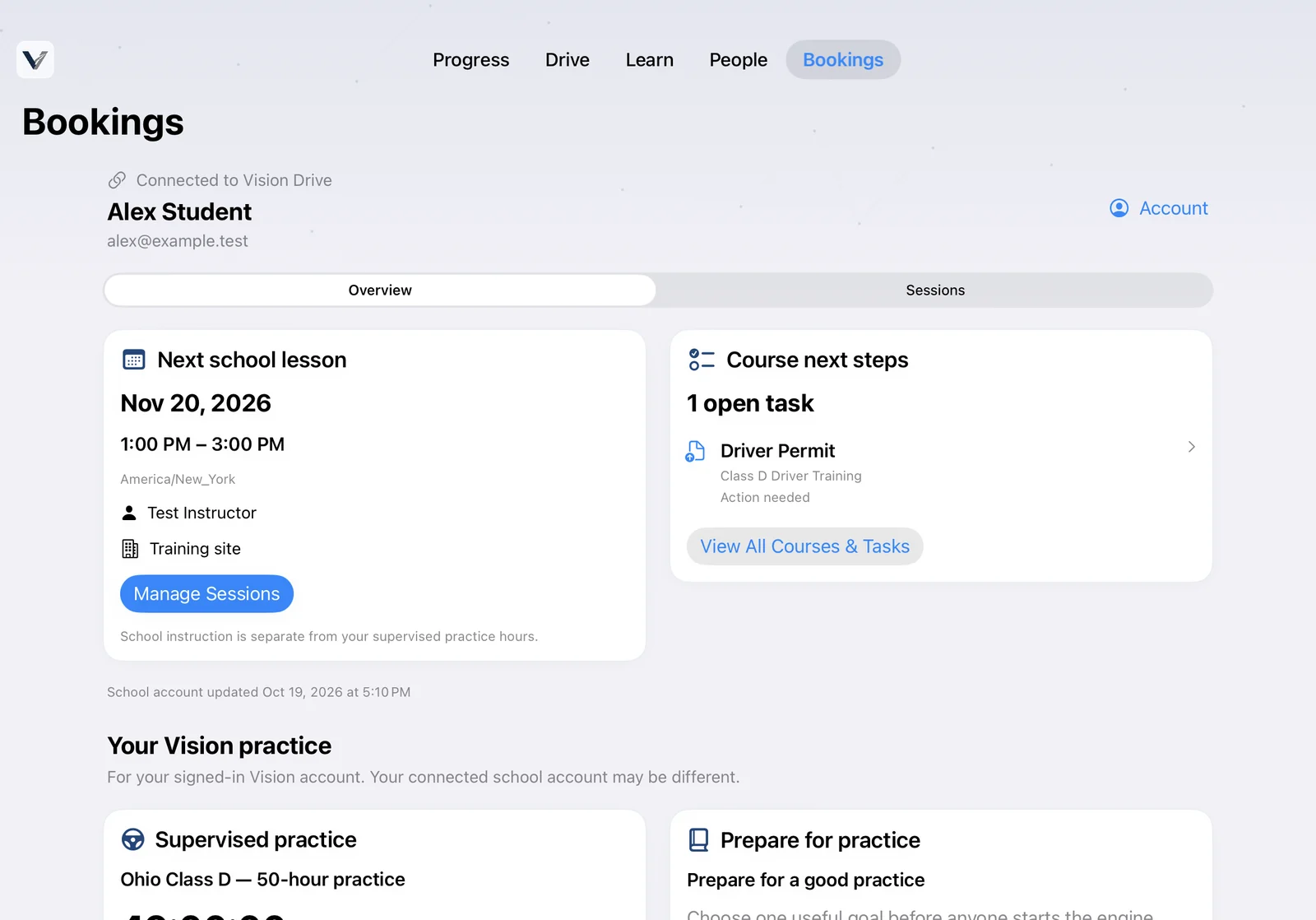
Enrolled with Vision Drive? Link your separate student account to bring your school’s next steps into the app.

  • Manage your lessons

    See sessions and book, reschedule or cancel where school rules and availability allow.

  • Stay on top of course tasks

    Review enrolled courses and outstanding tasks, and upload requested documents.

  • Keep the details current

    Update pickup and drop-off information, or open the student portal for other tasks.

Connecting is optional. Your school account and school records stay separate from your Vision practice account.

Connected Vision Drive student dashboard showing a lesson and a document task
A fictional connected student account with a lesson and a course task. View iPhone screen (new tab)

People make the difference

Independent accounts.
Shared encouragement.

Bring a parent, guardian or supervising driver into the journey. Invitations and approvals put sharing in the learner’s hands.

How accounts fit together
  1. Connect with permission

    Invite a learner or supervisor. Access starts after the invitation is accepted.

  2. Practice with a plan

    Choose a skill, check you’re ready, and let the supervising adult handle the app.

  3. Look back, then look ahead

    Review shared logs and progress together. Learners can revoke access when they need to.

Made for both screens

Familiar on iPhone.
Room to breathe on iPad.

Native Liquid Glass navigation on supported systems. Clear cards, readable type, and layouts that adapt to a wider screen or a smaller window.

Use iPhone for on-road recording, subject to device permissions and conditions. iPad gives you more space to plan, learn, and review together.

Vision’s native iPad learning library with a wide layout and Liquid Glass tab navigation

Also in development

A new perspective
on the drive.

In the Vision workspace, we’re exploring phone-as-dashcam recording, imported road and cabin footage, and after-drive reflection on attention and driving behavior.

Experimental features are still being validated. They are not a collision-warning system, a diagnosis of attention, or a substitute for the driver’s judgment. Dashcam compatibility and beta availability are not yet confirmed.

Good to know

Before the first drive.

Can I download Vision now?

Not yet. Vision is currently under development, with a closed beta coming soon. We have not announced a public release date or an App Store download.

Is Vision the same as the student portal?

Vision is a separate app and account for practice and learning. Students enrolled with Vision Drive can choose to connect their school account for bookings, courses, documents, and pickup/drop-off details. You can continue using the student portal today.

What works offline?

The development app supports saved practice and queued changes for later sync, plus written guides after an initial connection. School bookings, account linking, fresh shared progress and exports require a connection. Pending changes are shown until confirmed.

Who can see my practice?

Sharing requires an accepted connection. Learners manage approved supervisors and can revoke access. Shared views are limited; private learning notes are not included. Account and school features use online services—this is not a device-only app.

Does reaching my hour goal mean I can take the test?

Hour totals are one part of the process. Vision’s export is a supporting worksheet, not an official affidavit or certification. Confirm your requirements and required forms with the Ohio BMV (new tab).

In development

Closed beta.
Coming soon.

We’re refining Vision with learners and the people who support them. Want to ask about taking part?

Ask about the closed beta

This opens our contact page. Sending an inquiry does not reserve beta access.